No Per-User Fees. No Payment Cut.

The handyman app that doesn't tax your income

Itemize materials and labor, send professional estimates and invoices, get paid, and have your taxes ready — all from your phone, for about $10/month. Get paid through your own Venmo or PayPal. No per-user fees. No cut of your payments. Works offline.

πŸ”§ Get it on Google Play See pricing
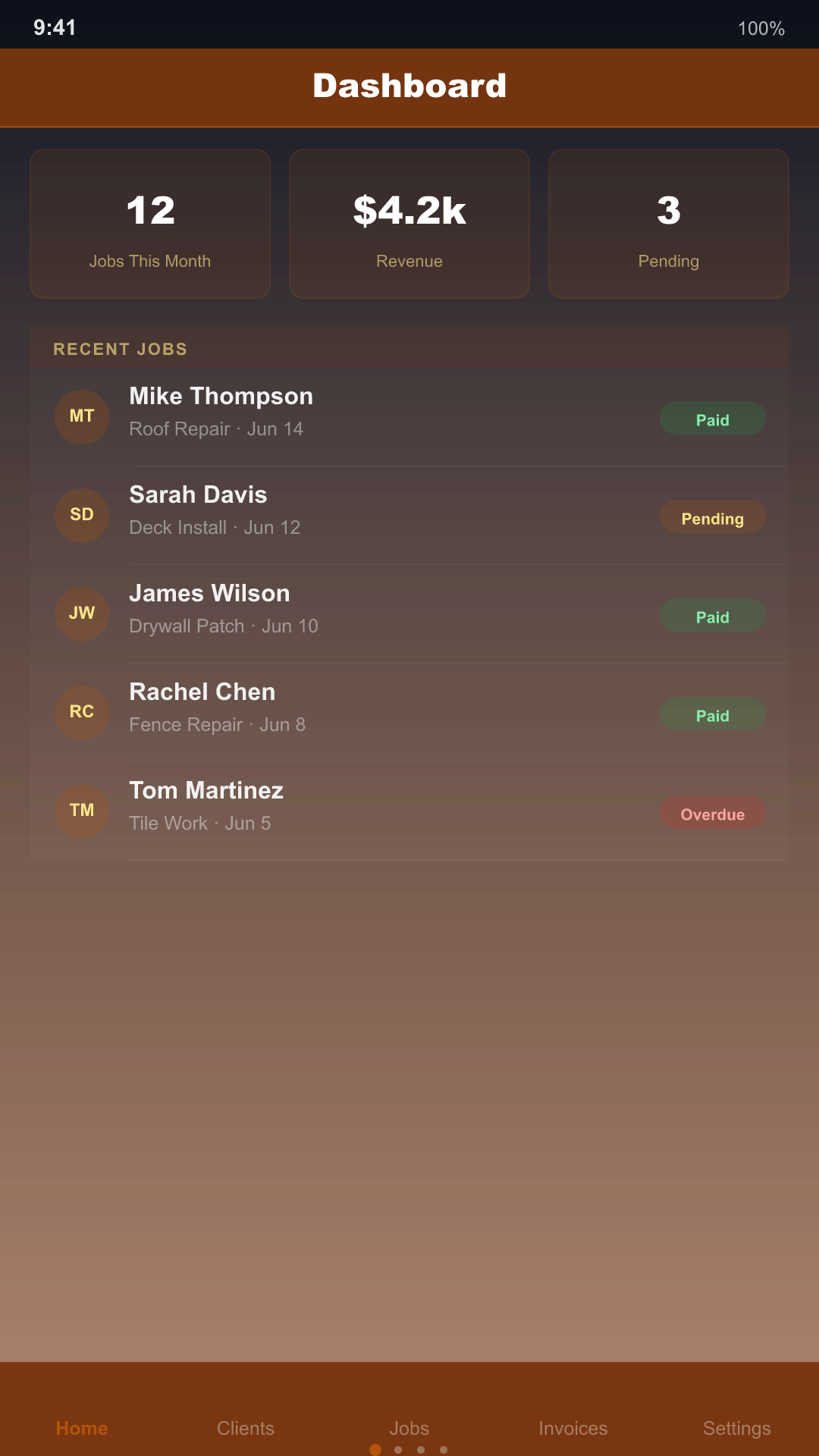
Handyman Pro dashboard screenshot

What makes it different

Three steps to your first invoice

01
Add your clients
Import from your phone or add them in seconds.
02
Estimate and schedule
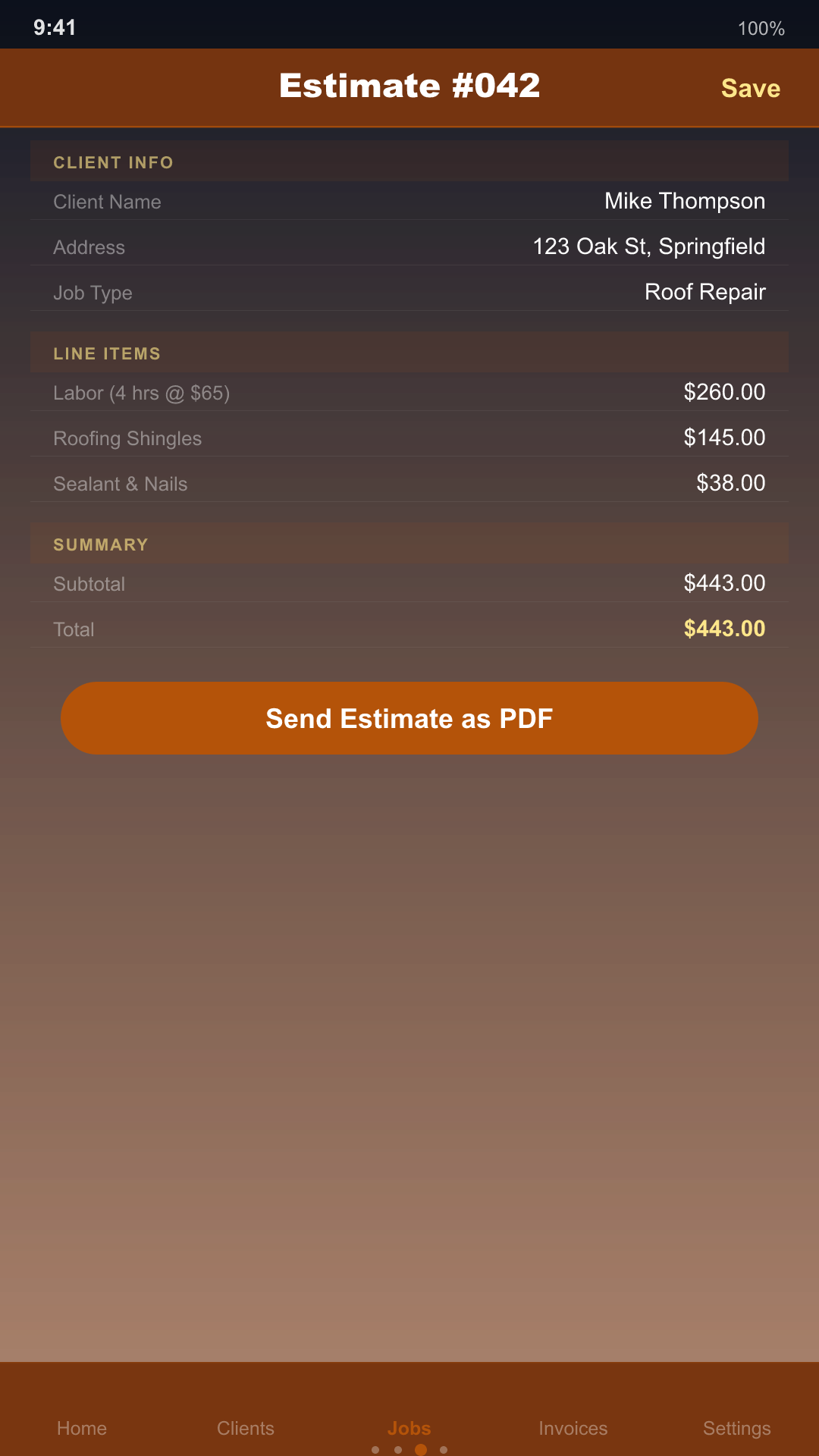
Itemize materials and labor; time the job as you work.
03
Invoice and get paid
Send a branded PDF with a tap-to-pay link; you keep it all.

Everything Handyman Pro does

πŸ”§
AI-Powered Estimates
Describe the job in plain English and get a structured labor + materials estimate in seconds.
πŸ”§
Client Management
Every client, every job history, every note — in one place, on your phone.
πŸ”§
Job Scheduling
See what’s on today, this week, and what still needs to be quoted.
πŸ”§
Professional Invoicing
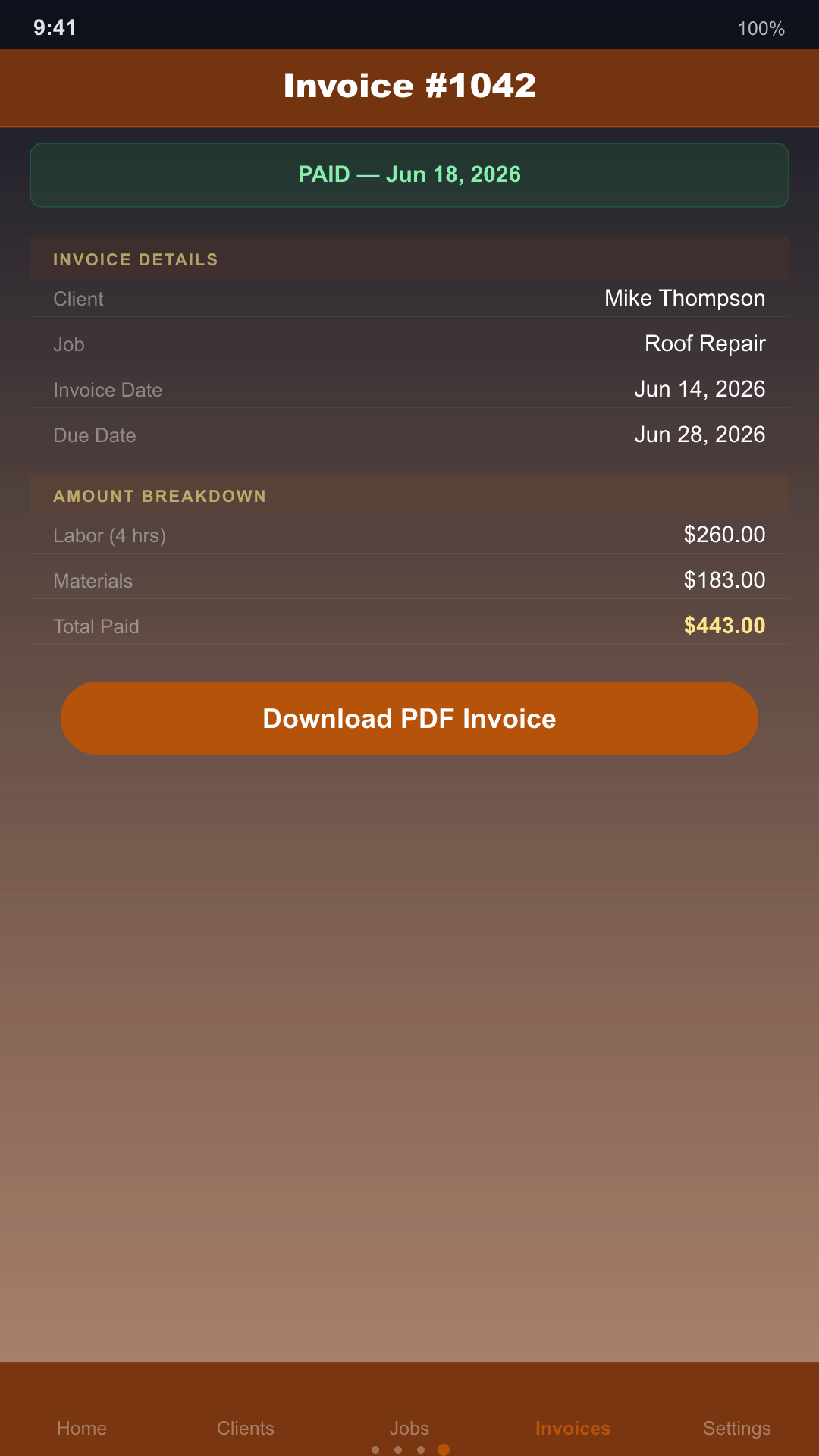
Convert an approved estimate to an invoice in one tap, with itemized labor and materials.
πŸ”§
SMS Reminders
Send clients a pre-filled text reminder without leaving the app.
πŸ”§
Tax-Time Ready
Log expenses and mileage year-round, then export a Schedule C summary, QuickBooks CSV, or raw transaction CSV at tax time — job material costs are rolled in automatically.
πŸ”§
PDF Invoices & Estimates
Generate a polished PDF invoice or estimate and share it by text, email, or any app on your phone in two taps.
πŸ”§
Get Paid Faster
Add your Venmo, Cash App, PayPal, or Stripe Payment Link once — every invoice gets a tap-to-pay button automatically.
πŸ”§
Before/After Photos
Attach before and after photos to any job from your camera or photo library — great for showing off your work.
πŸ”§
One-Tap Contact Import
Add a client straight from your phone's contacts — no retyping names and numbers.

Built to run from your phone

Handyman Pro screenshot 1 Handyman Pro screenshot 3 Handyman Pro screenshot 4

Built for solo handymen, not big crews

HandymanPro Jobber (Core) Housecall Pro (Basic)
Starting price (solo) ~$10/mo (annual) from $29/mo (annual) from $59/mo (annual)
Cut of each card payment $0 (your own links) ~2.9% + $0.30 starts ~2.59%
Per-user fees None ~$29/user/mo ~$35/user/mo (higher tiers)
Estimates included Yes Yes Yes
Works offline Yes No Yes
Free tier Yes 14-day trial only 14-day trial only

Competitor pricing and feature availability from getjobber.com/pricing and housecallpro.com/pricing, verified June 2026. Prices vary by plan and billing cycle.

Honest note: both are capable, well-built platforms for growing crews. HandymanPro is built for the one-person business that wants itemized materials and labor, a job timer, and tax tools without the per-user pricing or the payment skim.

Everything you need to close the job and get paid

The features the $40–80/month platforms charge for — now built into every KGKV app, at a flat price with no cut of your payments.

✍️
Approve & E-Sign
Hand the customer your phone to approve and sign the estimate on the spot — a real, recorded approval.
πŸ’΅
Deposits & Discounts
Take a deposit up front, apply discounts and markup, and track the balance due automatically.
⭐
Review Requests
One tap after a job is paid asks a happy customer for a Google review — your best growth lever.
πŸ“‹
Quote Templates
Save your common jobs and build repeat estimates in seconds instead of from scratch.
πŸ”
Repeat Last Visit
Re-book a returning client from their last job in a single tap — built for recurring work.
πŸ“Έ
Photo Markup
Draw and arrow on before/after photos to document damage and prove the work.
πŸ“Š
Profit & Loss
See what you earned and spent each month, right on the dashboard.
πŸ“…
Calendar Export
Send any job straight to your device calendar — no account, no sync required.

Try it free. Upgrade when it pays for itself.

Free
$0
No account required
  • Up to 3 clients
  • 3 AI estimates / month
  • Core scheduling
Pro
~$10/mo
$119.99 billed annually — or $14.99/mo billed monthly
  • Unlimited clients
  • Unlimited AI estimates
  • Professional invoicing
  • SMS reminders
  • Recurring scheduling
FAQ

Common questions

Is there a free version of Handyman Pro?
Yes. The free plan includes up to 3 clients and 3 AI estimates per month, so you can try the core workflow before upgrading. Invoicing, unlimited AI estimates, SMS reminders, and recurring jobs are Pro features.
Does Handyman Pro include AI-powered estimates?
Yes — describe the job in plain language and the AI Estimate Assistant drafts an itemized labor and materials breakdown you can edit before sending.
Can I send invoices and get paid through the app?
Yes. Approved estimates convert to professional invoices in one tap, with itemized labor and materials, and you can track payment status per client.
Does Handyman Pro help at tax time?
Yes. Log business expenses and mileage as you go, and the Tax Center generates a Schedule C summary by year — with the raw material cost from your jobs automatically folded into your Supplies deduction. Export options include a plain-text Schedule C summary, a Schedule C CSV, a QuickBooks-compatible CSV, and a raw transaction CSV. Expense and mileage logging is free; export is a Pro feature.
Is my client data private?
Yes. Handyman Pro stores all client, job, and invoice data locally on your device. There’s no account and nothing is uploaded to a server, except the job description text sent to the AI Estimate Assistant.
Can clients pay me directly from an invoice?
Yes — add a Venmo, Cash App, PayPal, or Stripe Payment Link to your business profile and every invoice you send includes a tap-to-pay button for your client.
Can I share invoices and estimates as a PDF?
Yes — generate a professional PDF invoice or estimate and share it by text, email, or any app installed on your phone.
Can I add before/after photos to a job?
Yes — attach photos from your camera or photo library directly to a job. Photos stay on your device and are included in your local backups.
Can I add a client from my phone's contacts?
Yes — tap Import from Contacts to add a client without retyping their name and number.

Stop renting software built for big crews.

Run your handyman business for about $10/month — and keep every dollar you earn.

πŸ”§ Get it on Google Play